 flying-hero
96f6318101
flying-hero
96f6318101
新增:
- backend/venv/ - Python 虚拟环境
- backend/start.sh - 启动脚本(使用虚拟环境)
- backend/requirements.txt - 依赖列表
- .gitignore - 忽略虚拟环境和缓存文件

说明:
- 每个项目使用独立虚拟环境
- 避免依赖冲突
- 启动脚本自动创建和激活虚拟环境
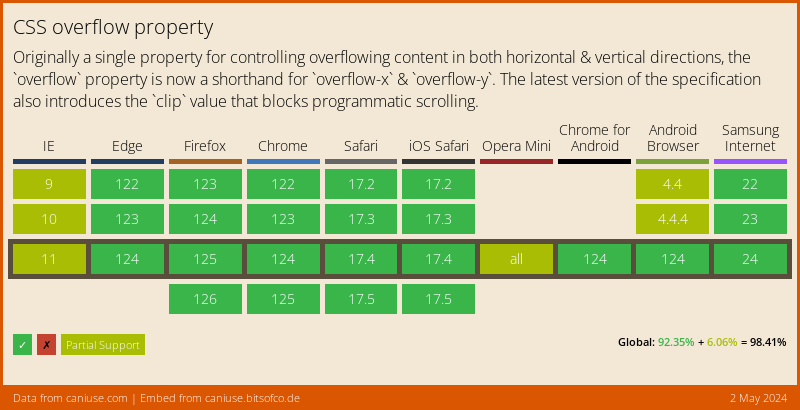
PostCSS Overflow Shorthand 


PostCSS Overflow Shorthand lets you use the overflow shorthand in CSS,
following the CSS Overflow specification.
html {
  overflow: hidden auto;
}

/* becomes */

html {
  overflow-x: hidden;
  overflow-y: auto;
  overflow: hidden auto;
}
Usage
Add PostCSS Overflow Shorthand to your project:
npm install postcss postcss-overflow-shorthand --save-dev
Use it as a PostCSS plugin:
const postcss = require('postcss');
const postcssOverflowShorthand = require('postcss-overflow-shorthand');

postcss([
  postcssOverflowShorthand(/* pluginOptions */)
]).process(YOUR_CSS /*, processOptions */);
PostCSS Overflow Shorthand runs in all Node environments, with special instructions for:
| Node | PostCSS CLI | Webpack | Create React App | Gulp | Grunt |
|---|
Options
preserve
The preserve option determines whether the original overflow declaration is
preserved. By default, it is preserved.
postcssOverflowShorthand({ preserve: false })
html {
  overflow: hidden auto;
}

/* becomes */

html {
  overflow-x: hidden;
  overflow-y: auto;
}